
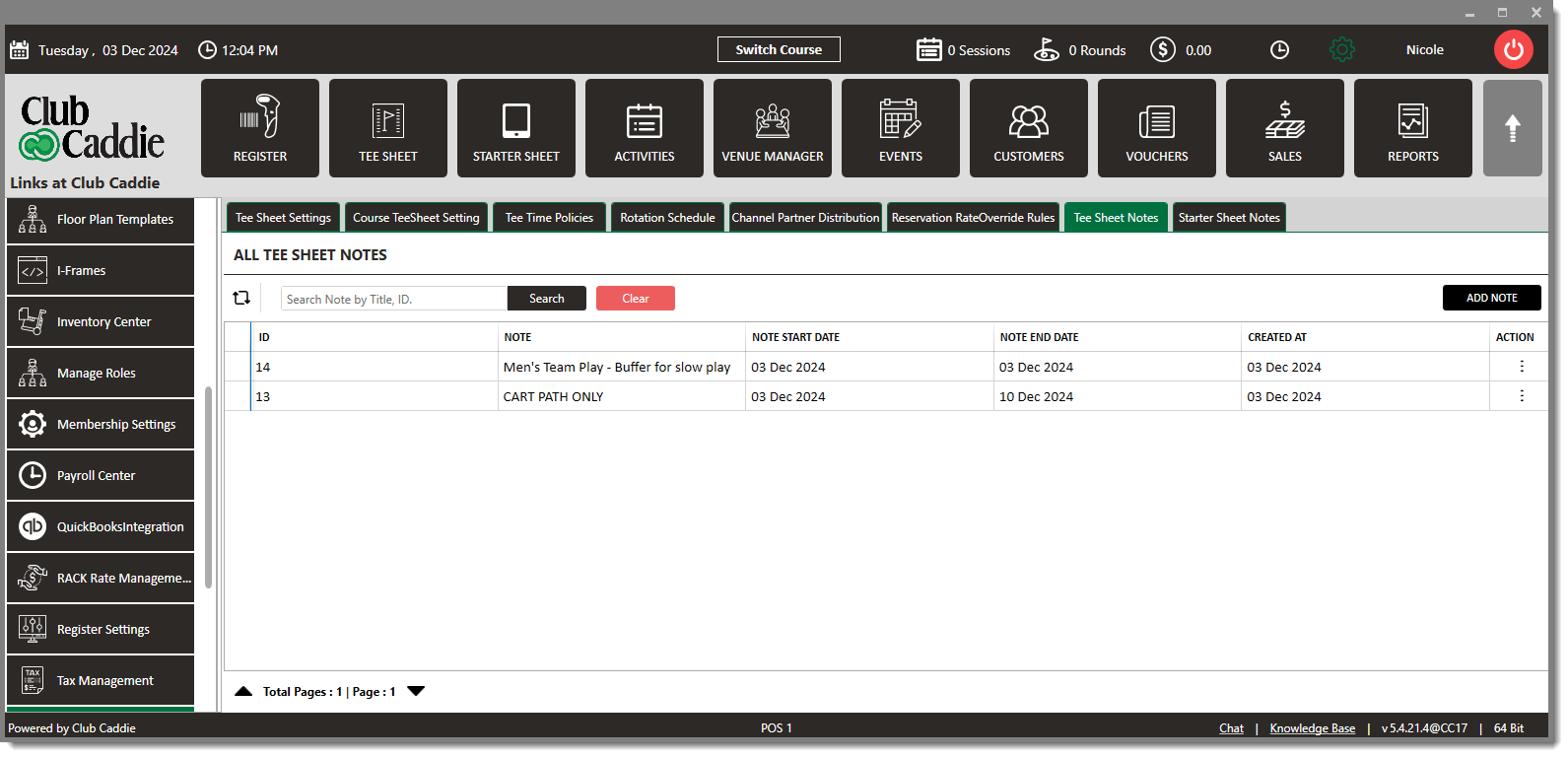
Allows notes to be placed above the tee sheet for staff visibility.
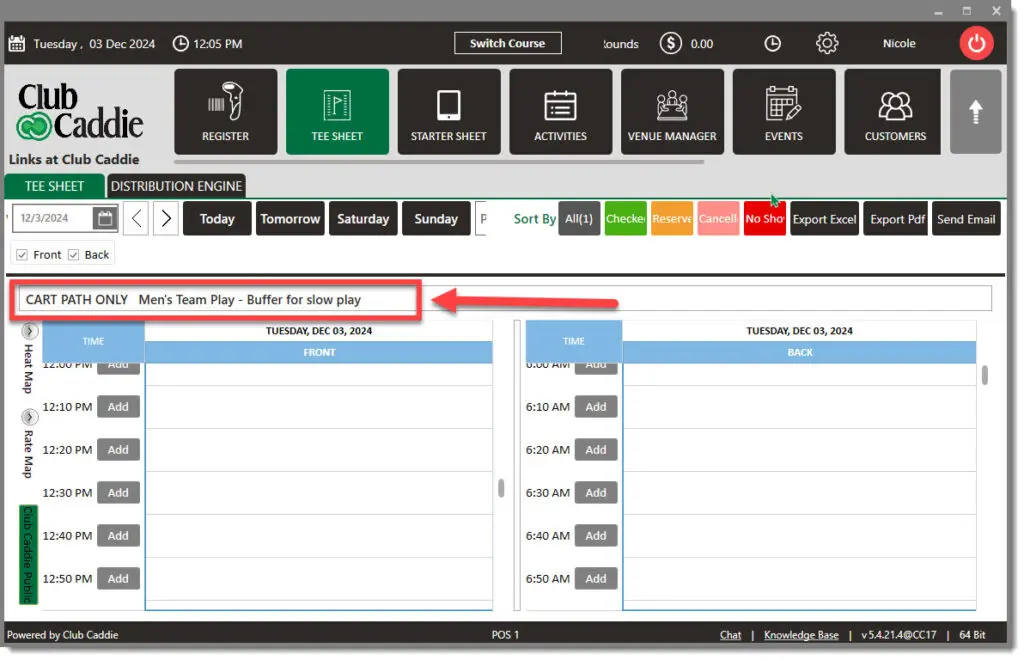
Tee Sheet Note Example:
This video further explains how to set up internal notes on the tee sheet and starter sheet. These notes are only visible to staff, making them a useful way to remind your team about event times, policies, or special instructions. The walkthrough covers how to create new notes, edit existing ones, and set dates and days for when they should appear.
Click on the red dots to learn more!
Allows notes to be placed above the tee sheet for staff visibility.
Tee Sheet Note Example:
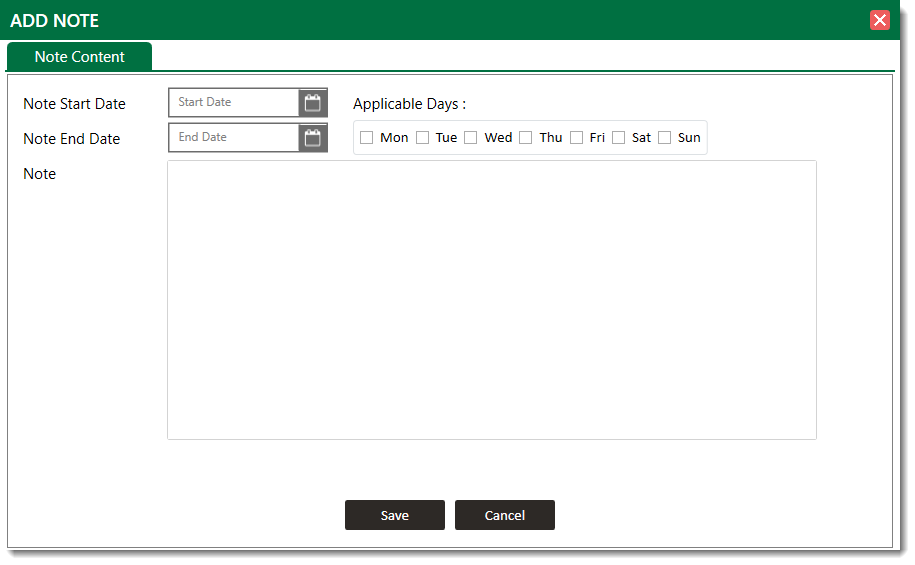
Select a “Start Date” and “End Date” here.
Check all days you would like this note displayed.
Enter “Note” here for staff visibility.
You have not completed all required lessons and assessments.