
Entering a Tee Time

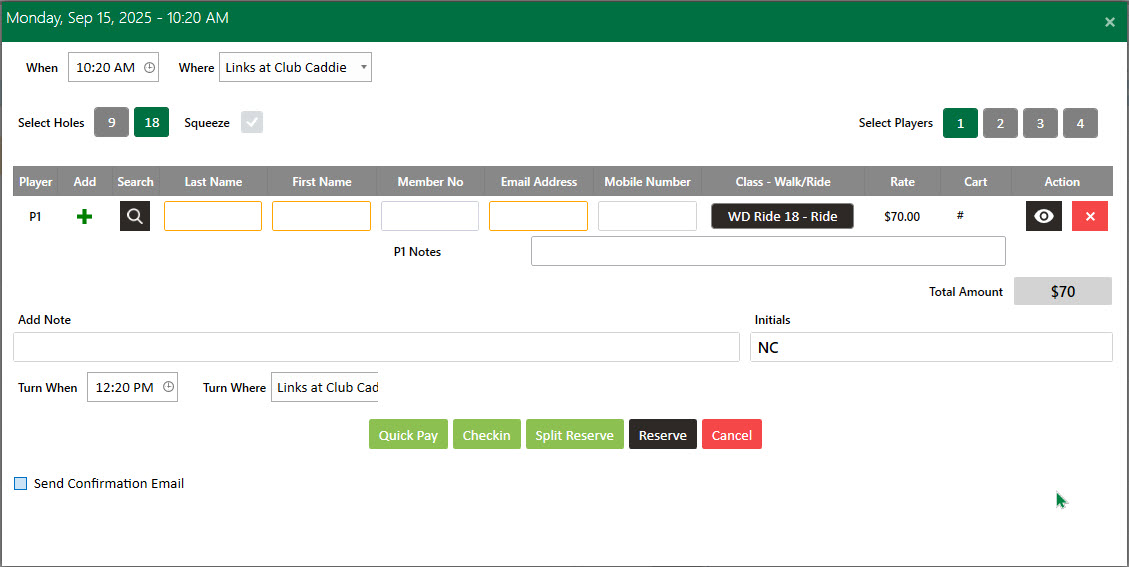
Hover over the red spots to learn how to book a tee time and your options or watch the video below. 

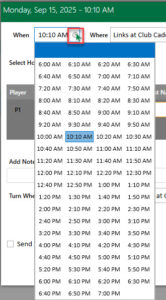
When: Can be adjusted using the clock Icon. 
Select holes 9 or 18. 

The Squeeze option will vary depending on the facility's settings.

Select the checkbox next to the Squeeze option:

(1). You can add additional number of players, fill the player details and click on the Split Reserve button (2) and you will see additional players added on the tee sheet within that tee time. 

Select Players between 1 to 4 and additional player information will populate. 

Your choices will vary depending on the facility's settings.

Enter or Search Player Details using the magnifying glass icon. If it is a new customer, you can click the green plus icon to add additional customer information. 

Some fields may be required before being able to reserve the time. 


Select the applicable pricing plan using the rate selection drop-down.

If your facility requires a cart # be defined you may utilize the cart selection box to specify the cart number the group/player will utilize. 

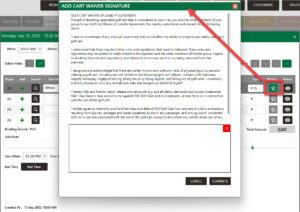
Must be entered for the cart waiver option to appear from the Starter Check-in Screen. 
Quick Pay: The system will generate a new "Payment Mode" window where you can pay through different payment options for quicker checkout. Select the Payment Mode and then click the "Ok" button. 

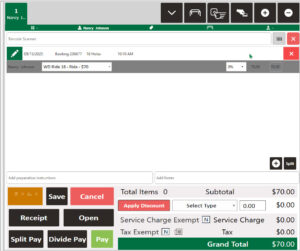
Check-in: The system will mark the player as checked in by turning green on the tee sheet. Next, it will open a new tab within the register and bring you to the register to complete the payment process. but not yet paid. 
Split Reserve: Makes it possible to divide a tee time so individual players can pay for themselves, typically used when each player is paying separately, versus if one player is paying for all players or multiple players. 

Turn When: This helps you see the assumed turn time.

OR

Click the clock icon to choose when the turn time occurred for better tracking of the course pace.

Send Confirmation: Check this box to send a confirmation email to the customer when a tee time reservation is made.